
Fall Asleep Faster. Wake Up Refreshed.
Smart alarms, calming sounds, and sleep insights — everything you need for better rest.
Moonap is a free sleep tracker and alarm app for iPhone and Android. It records ambient sounds while you sleep, delivers daily sleep scores, plays calming sounds on a fade-out timer, and includes a Sleep Academy of science-backed articles — no wearable required.
• Free to download
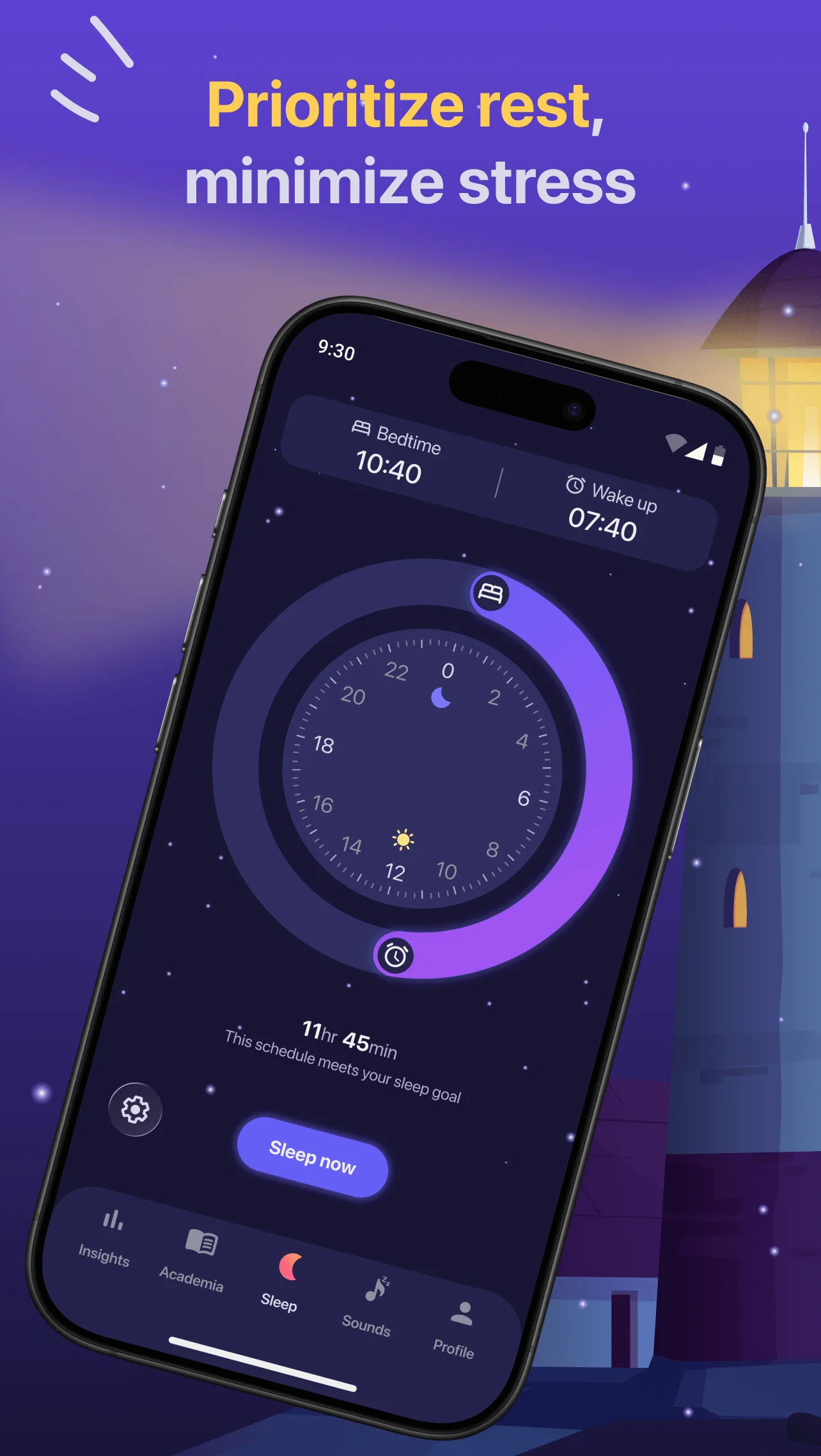
How Moonap Works
Three steps — from setting your alarm to reviewing your night.
-
Set Your Alarm
Pick your wake-up time, choose an alarm sound, and optionally enable sleep recording. The smart alarm mode wakes you at a lighter sleep phase within a configurable window.
-
Sleep with the App Running
Moonap runs in the background. It logs your sleep session, plays ambient sounds on a fade-out timer, and optionally records short audio clips when sounds in your room exceed a threshold.
-
Review Your Night
Wake up to your daily sleep score and session summary. Listen to any nighttime recordings, check weekly trends, and read Sleep Academy articles to improve future nights.
Everything You Need for Better Sleep
Simple tools to help you fall asleep faster and wake up refreshed.
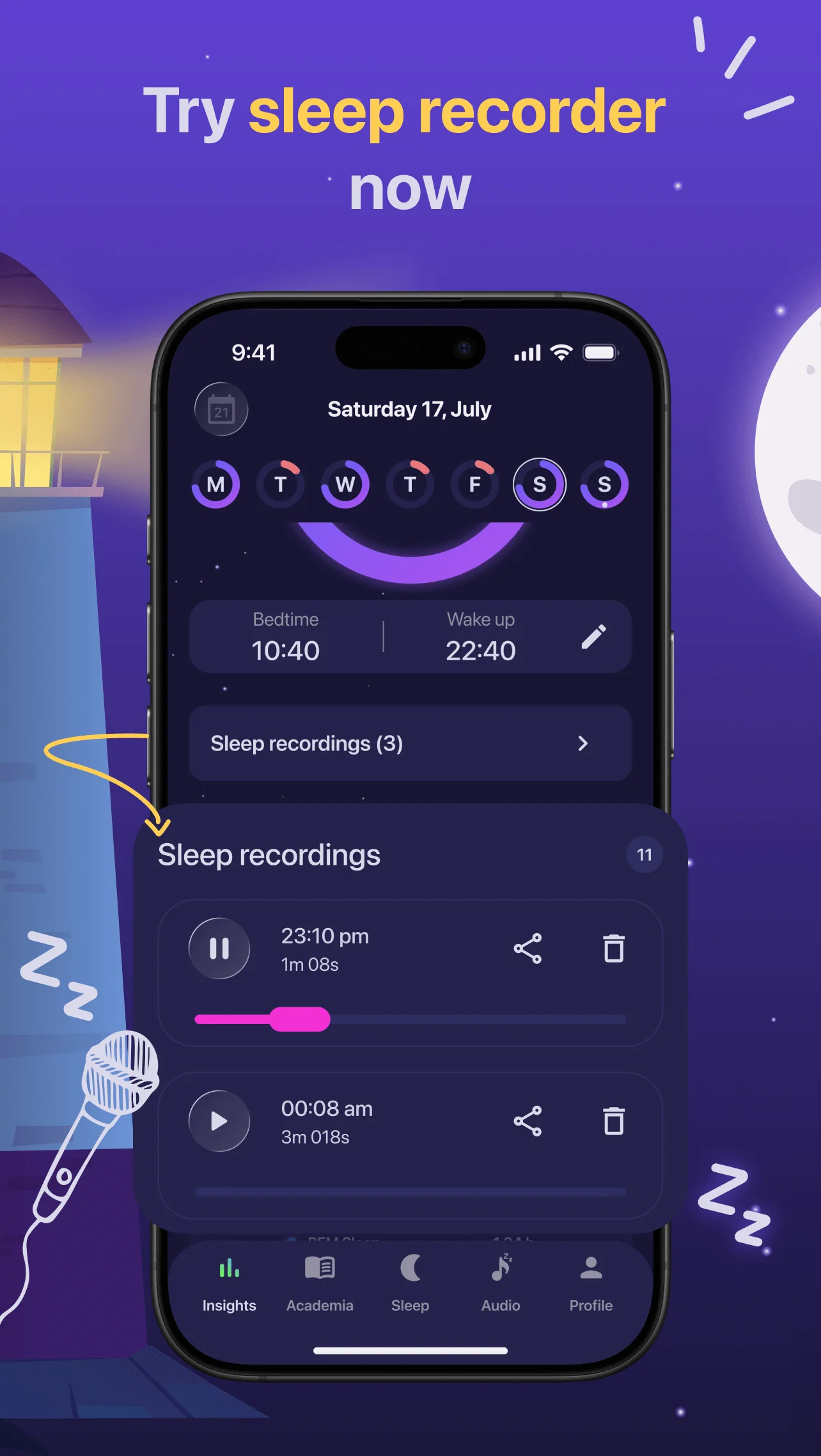
Hear What Happens at Night
Automatically capture snoring, sleep talking, and unusual sounds. Recordings are stored locally on your device — never uploaded. Play them back in the morning to discover what happened while you slept.
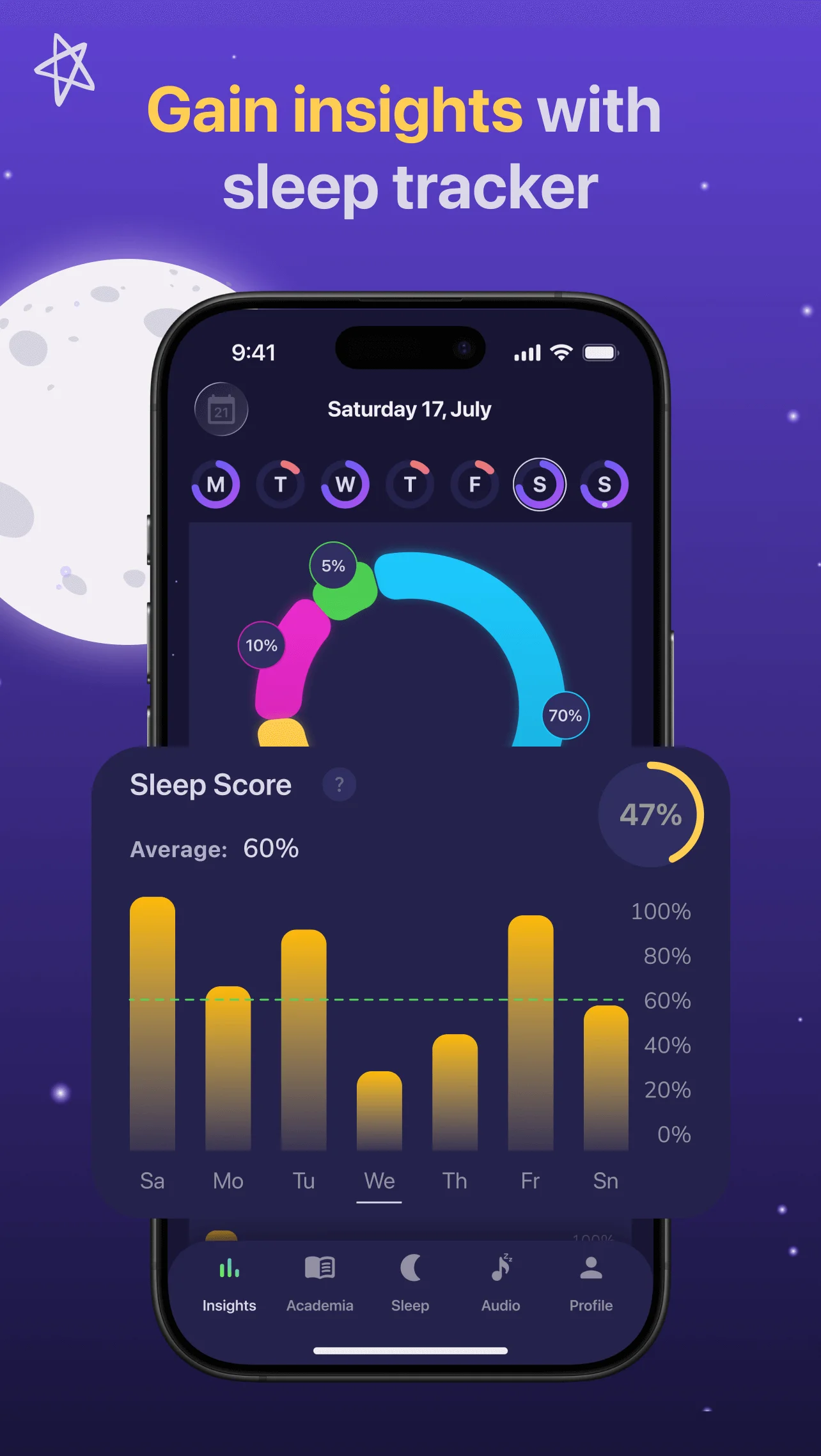
Know Your Sleep Score
See how well you slept with a daily score and weekly trends. Track bedtime consistency, total sleep duration, and session history to spot patterns that help or hurt your rest.
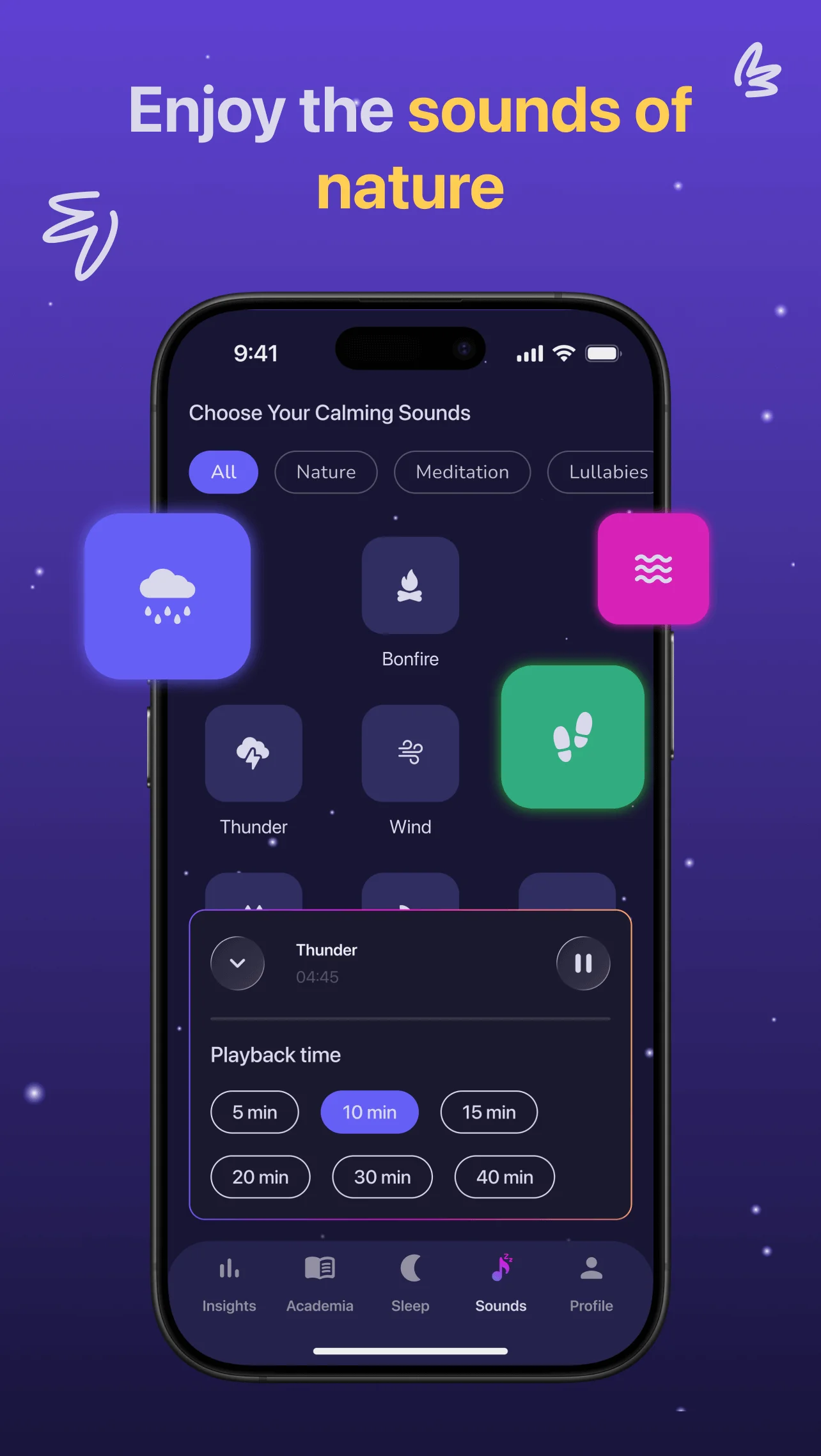
Drift Off with Soothing Sounds
Choose from rain, thunder, bonfire, and other calming ambient sounds. Set a sleep timer and let sounds gradually fade as you fall asleep — so your phone isn't still playing at 3am.
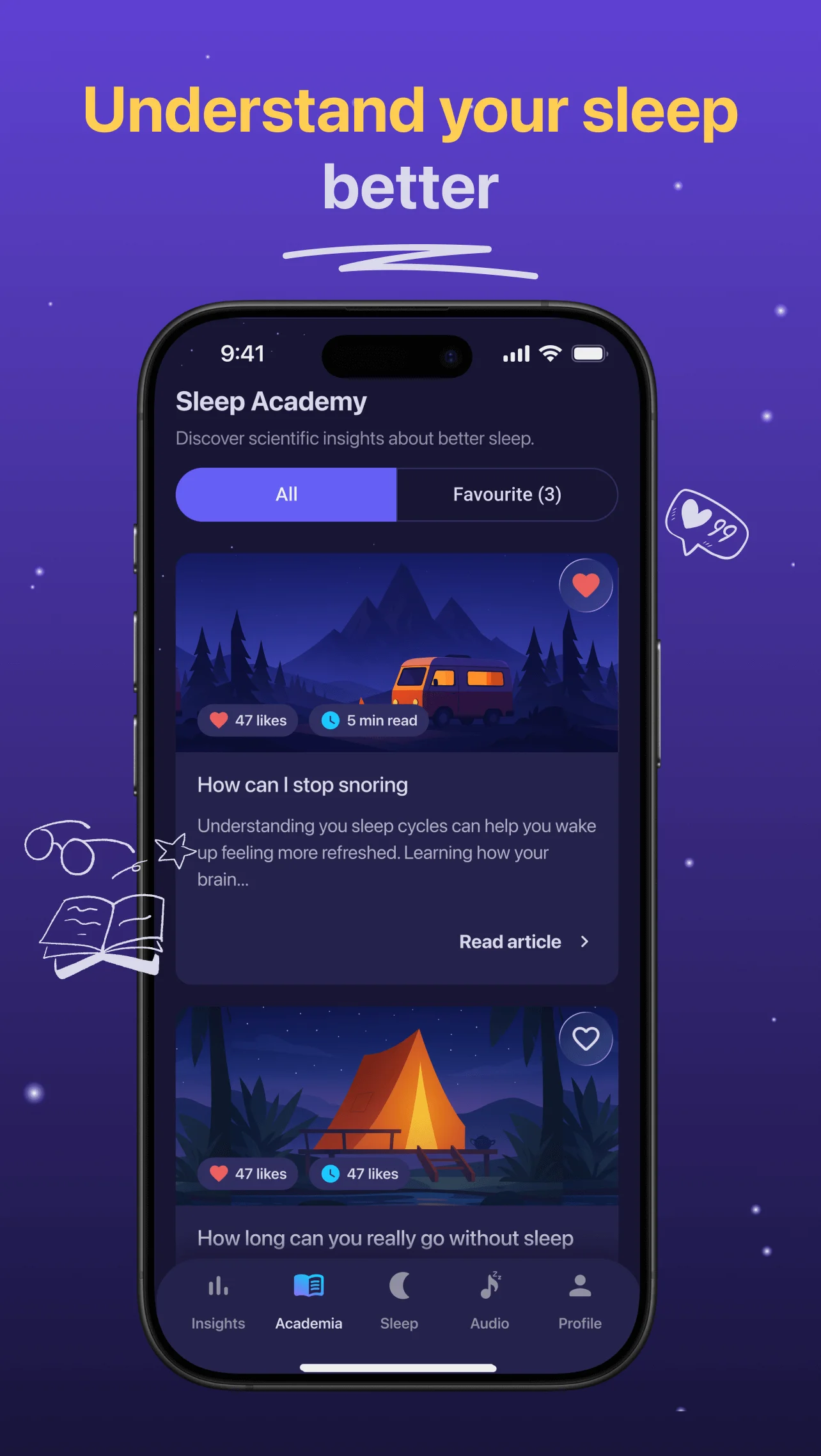
Learn What Science Says
Browse short articles on sleep science, sleep hygiene, and evidence-based bedtime habits. Articles load offline after the first sync. Save favorites inside the app and build knowledge over time.
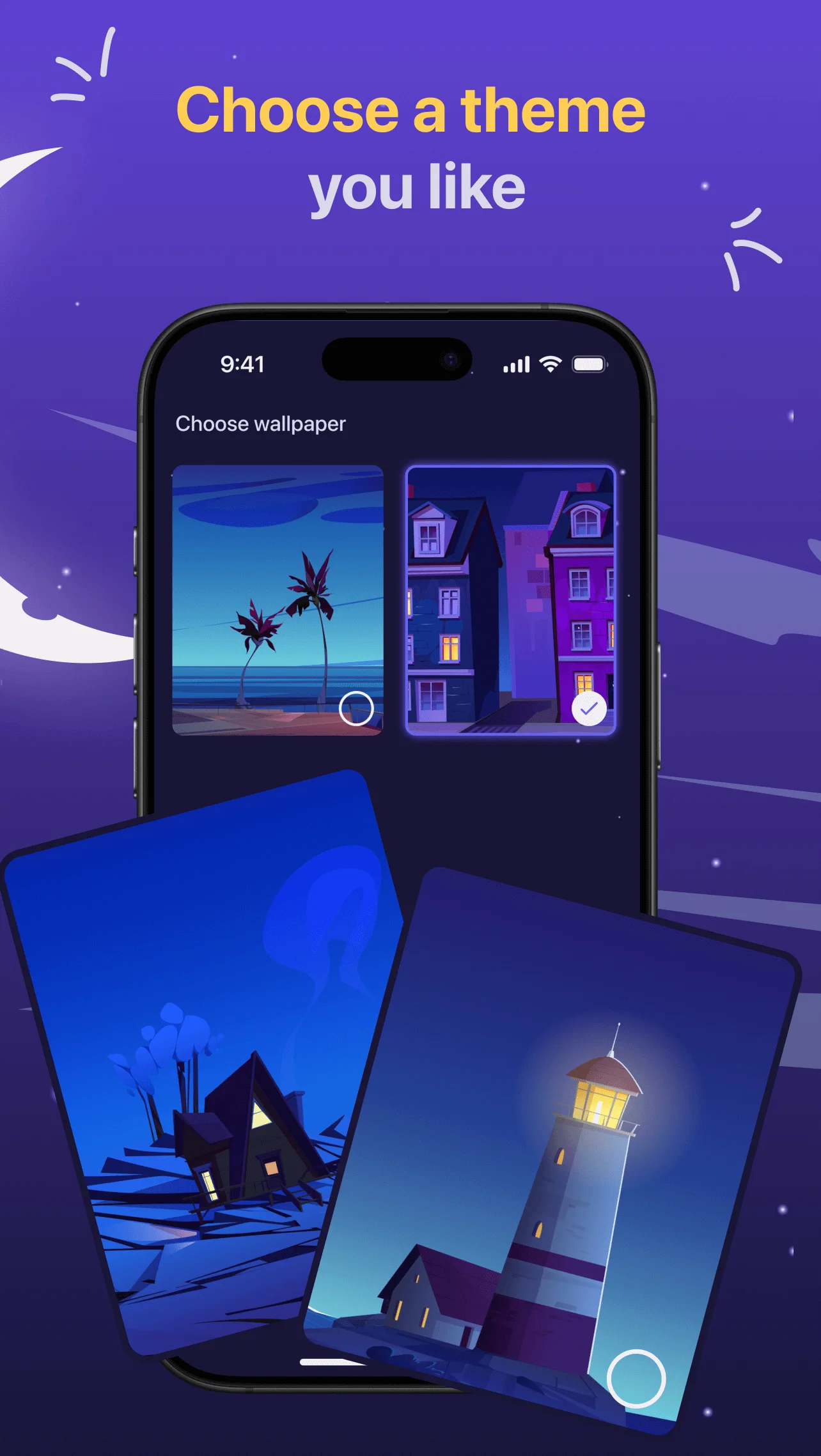
Make It Yours
Pick from beautiful night-themed wallpapers. The app should feel as calm and relaxing as the sleep routine you're building.
Who Moonap Is For
Moonap is built for anyone who wants to understand and improve their sleep — without a wearable device or complex setup.
Moonap works well if you…
- Want to track sleep quality without a smartwatch or fitness band
- Snore or talk in your sleep and want to hear what happens
- Need a reliable alarm with customizable alarm sounds and volume
- Want to fall asleep to white noise or nature sounds on a timer
- Are building a more consistent bedtime and wake-up schedule
- Want short, practical reading on sleep science and sleep hygiene
Moonap may not be right if you…
- Need a medically certified sleep study or sleep apnea screening tool — Moonap is not a medical device
- Require heart-rate or blood oxygen monitoring during sleep
- Want deep integration with a smartwatch or fitness wearable platform
Frequently Asked Questions
Common questions about Moonap.
-
Yes. Moonap is free to download on the App Store and Google Play. Core features — sleep tracking, alarms, ambient sounds, and the Sleep Academy — are available for free. An optional premium subscription unlocks additional content.
-
Yes. Moonap is available on the App Store for iPhone. You can download it at no cost and start tracking your sleep the same night.
-
Yes. Moonap is available on Google Play for Android. The Android version is in active production on the Google Play Store.
-
When you enable sleep recording, Moonap uses your phone's microphone to monitor ambient sound while you sleep. It captures short audio clips when sound exceeds a set threshold — useful for catching snoring, sleep talking, or other nighttime noises. Recordings are stored locally on your device and are never uploaded to external servers.
-
Yes. Moonap tracks sleep sessions using your phone alone — no wristband, smartwatch, or additional hardware required. It logs bedtime, wake-up time, and session duration, and generates a daily sleep score based on your session data.
-
Moonap includes a library of calming ambient sounds — including rain, thunder, bonfire, and others. You can play any sound on a fade-out timer so it gradually stops after you fall asleep. Premium subscribers get access to additional high-quality sounds in the library.
-
The Sleep Academy is a built-in content library with short articles on sleep science, sleep hygiene, and evidence-based bedtime habits. Articles are available offline after the first sync. You can save favorites directly in the app and return to them any time.
Start Sleeping Better Tonight
Free to download. No account required. Available for iPhone and Android.
• Free to download